

A lot is shifting at once this year. Artificial intelligence is reshaping how businesses work and how they get found online. Cyber threats are growing more clever. The tools you depend on keep changing, and the cost of keeping up never seems to slow down. For a business owner juggling all of it, the...
Spot It Before You Click It: Phishing Tricks Targeting You
Information Technologies | David Steele | Wednesday, June 10, 2026
Overview
Could you spot a phishing attempt if it referenced your real projects, named your coworkers, or arrived as a text instead of an email? This article breaks down how today's scams have grown more polished and personal across email, texts, phone calls, QR codes, and device code tricks, helping you recognize the red flags and know exactly what to do before you click, tap, or enter sensitive information.

Phishing is no longer easy to spot. The clumsy, typo-filled emails of the past have given way to messages that look polished, personal, and convincing. Attackers now know your company name, your coworkers' names, and the tools you use every day. They use that detail to make a fake message feel real.
This short guide will help you recognize the phishing tricks showing up most often right now, on both your inbox and your phone. By the end, you'll know:
- The newest tactics attackers are using in 2026
- The red flags that give a scam away
- Exactly what to do when something feels off
A few minutes here can stop a costly mistake later. Let's walk through it.

Why Phishing Got Harder to Spot
Attackers have gotten patient and precise. Instead of blasting generic emails to thousands of people, they research targets and craft messages that fit your world. A note might reference a real project, a familiar vendor, or a manager's name.
Sometimes the message even comes from a real account, one that's already been compromised. So the old advice of "watch for bad grammar" isn't enough anymore. The trick now is to focus less on how a message looks and more on what it's asking you to do.
The Tricks Showing Up Most in 2026
Convincing Email Phishing
Email is still the most common way attackers reach you. The classic red flags remain useful: urgent demands, unexpected requests, and links that don't quite match. The difference today is polish. A fake invoice or password reset can look nearly identical to the real thing.
What to watch for: any email pushing you to act fast, log in, or "verify" something you didn't expect.
Text and Phone Scams
Attackers have moved to where we're more relaxed: our phones. Fake texts and scam calls now slip past people who would never click a suspicious email. People tend to trust a quick text more than an email, and that's exactly the gap criminals exploit.
A text might claim a package is stuck, a payment failed, or your account needs attention. The goal is to get you to tap a link or share information in a hurry.
What to watch for: unexpected texts with links, or calls pressuring you to act or hand over login details.
QR Code Lures
A QR code feels harmless, so attackers hide bad links inside them. You might find one in an email, a PDF attachment, or even a printed flyer. Because you can't see the web address behind the code, it's easy to scan first and regret it later.
What to watch for: any QR code in an email or document you weren't expecting, especially one asking you to log in.
Device Code Phishing
This one is newer and worth understanding, because it's designed to fool careful people. The attacker sends you a code and asks you to enter it on a real Microsoft sign-in page. Everything looks legitimate, the page is genuine, the address is correct.
Here's the catch: by entering that code, you're not logging in for yourself. You're approving the attacker's access to your account. The code did not come from you, so it should never be entered, no matter how official the request seems.
What to watch for: any message giving you a code to type into a Microsoft or Google login page. If you didn't start that sign-in, don't enter the code.
Red Flags to Remember
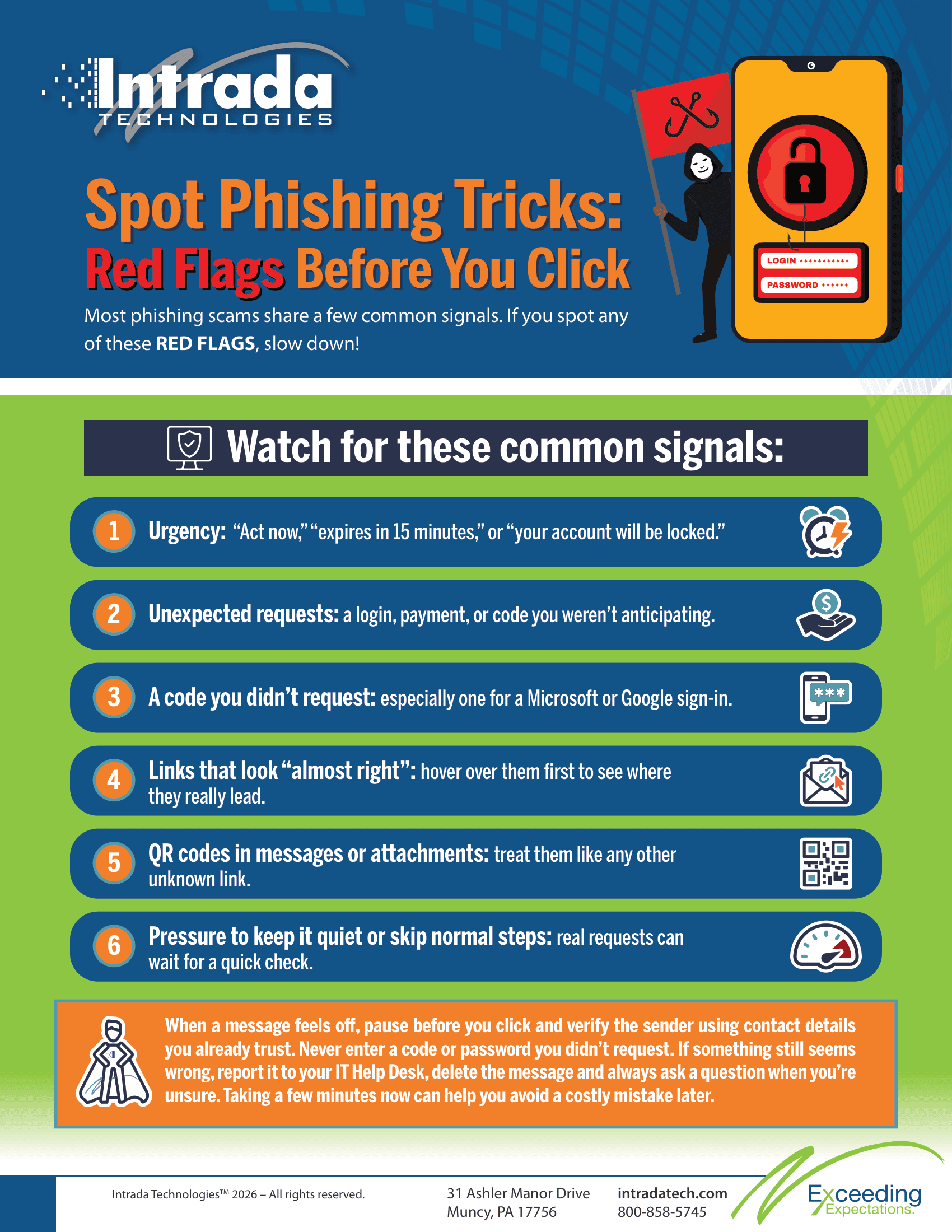
Most scams share a few common signals. If you spot any of these, slow down:
- Urgency: "Act now," "expires in 15 minutes," or "your account will be locked."
- Unexpected requests: a login, payment, or code you weren't anticipating.
- A code you didn't request: especially one for a Microsoft or Google sign-in.
- Links that look "almost right": hover over them first to see where they really lead.
- QR codes in messages or attachments: treat them like any other unknown link.
- Pressure to keep it quiet or skip normal steps: real requests can wait for a quick check.
What to Do When Something Feels Off
You don't need to be a security expert to stay safe. You just need a steady habit. When a message raises a flag, follow these steps:
- Pause. Don't click, tap, or enter any code yet.
- Verify another way. Contact the sender using a number or email you already have, never the one in the suspicious message.
- Never enter a code or password you didn't request. This is the simplest defense against device code phishing.
- Report it. Let your IT contact know, then delete the message.
- When in doubt, ask. A quick question is always better than a costly guess.
A common mistake: replying directly to a suspicious email or calling the number it provides. If the message is fake, you're talking straight to the attacker. Always reach out through a contact method you trust.
Awareness Is a Daily Habit
Staying safe online isn't a once-a-year training task. Threats shift constantly, and the people who spot them are the ones who stay a little curious and a little cautious every day. You are your team's first and best line of defense, and a single careful pause can protect the whole company.
Make this part of how you work. Talk about suspicious messages with coworkers. Share what you see. When one person spots a scam and speaks up, everyone benefits.
At Intrada, we work alongside our clients to keep awareness fresh through ongoing training and support. Think of us as part of your team, here to help you stay sharp as the tricks keep changing.
The bottom line is simple: slow down, trust your instincts, and never enter a code or password you didn't ask for. And when something feels off, ask. That one habit stops more attacks than any tool ever could.

ABOUT THE AUTHOR
David Steele is the co-founder of Intrada Technologies, a full-service web development and network management company launched in 2000. David is responsible for developing and managing client and vendor relationships with a focus on delivering quality service. In addition, he provides project management oversight on all security, compliancy, strategy, development and network services.
Learn MoreScammers are getting smarter. Gone are the days of obvious, typo-filled emails—today's scams are polished, convincing, and eerily targeted. In fact, over 92 million Americans were victims of cybercrime in 2022 alone (source: Comparitech), and scammers often use detailed personal information to make ...