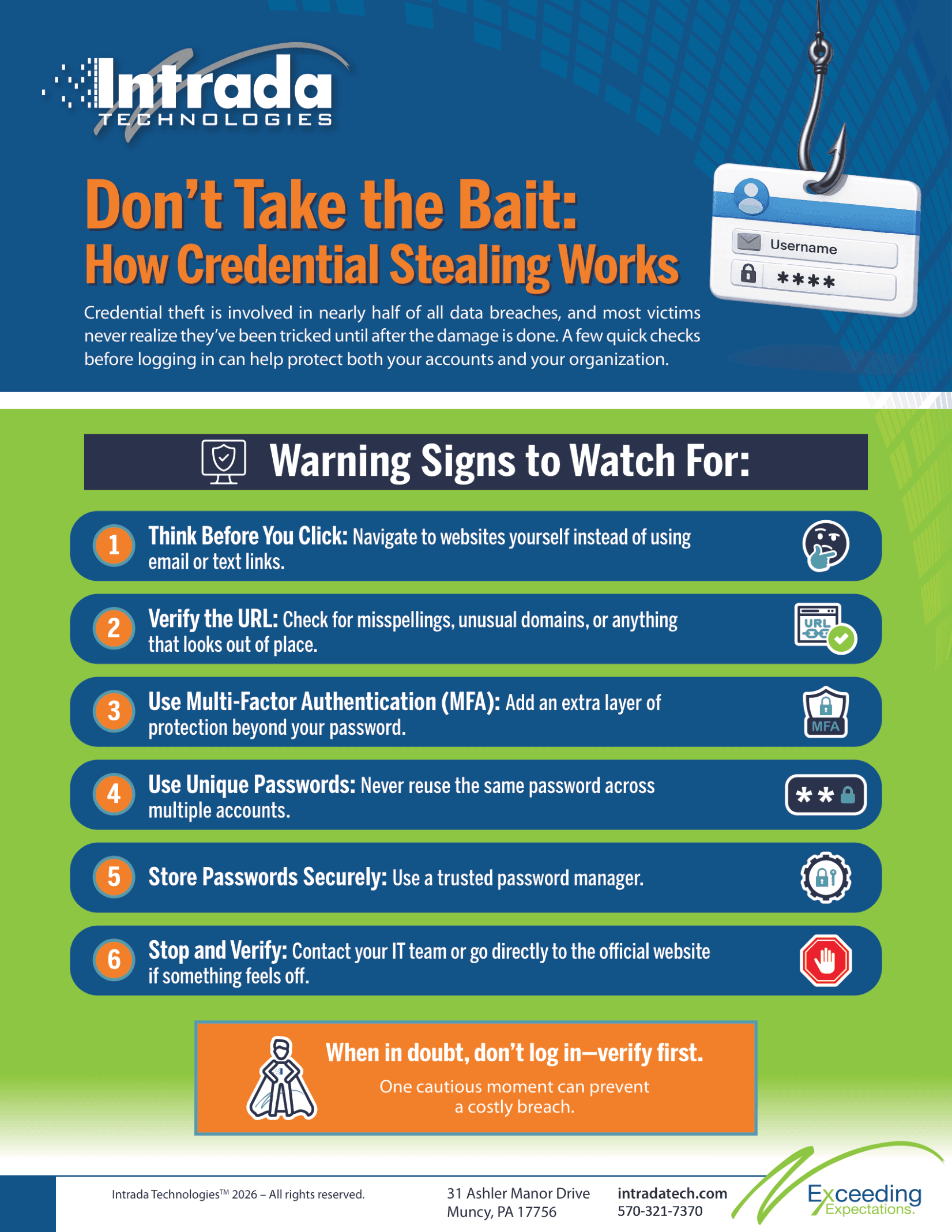
The Human Firewall: Why Your Employees Are Your Greatest Security Risk and Your Strongest Defense
Most business owners picture cybersecurity as a technical problem. They imagine firewalls, antivirus software, and complicated settings managed by someone in an IT role. All of that matters, but the reality is that many of the most damaging security incidents at small and midsize businesses begin with a person clicking a link, approving a payment, or typing a password into the wrong place. Attackers know this. They spend far more time trying to fool people than trying to break through technology.
That fact can sound discouraging, but there is a hopeful side to it. The same employees who can be targeted are also the ones best positioned to stop an attack before it does harm. When your team knows what to look for and feels comfortable speaking up, they become an active layer of protection that no software can fully replace. This article walks through the threats that most often target people, and how you can help your staff recognize and respond to them.
Here is what you will learn:
How modern phishing and social engineering actually work
Why Business Email Compromise is so costly and so convincing
Newer tactics like QR-code phishing and fake Microsoft 365 login pages
Practical steps, from MFA
Multi-Factor Authentication (MFA) is a security enhancement that requires users to verify their identity using multiple credentials before gaining access to a system, application, or service. This layered approach to security helps ensure that the person requesting access is indeed who they claim to be, significantly reducing the risk of unauthorized access.
MFA generally involves a combination of two or more of the following factors:
Something you know: A password, PIN, or answer to a security question.
Something you have: A physical token, smart card, or a mobile phone to receive a verification code.
Something you are: Biometric identifiers, such as a fingerprint, facial recognition, or voice, that uniquely identify the user.
By requiring multiple forms of verification, MFA adds an additional layer of defense against potential threats, even if one factor (such as a password) becomes compromised. For instance, even if an attacker obtains a user's password, they would still need the second form of authentication to gain access.
In today's digital landscape, where cyber threats are increasingly sophisticated, implementing MFA is a critical step for organizations to protect sensitive data and systems. It enhances security for end-users and across the enterprise, making it a fundamental component of a robust cybersecurity strategy.
to verification habits, that strengthen your human firewall
Why People Are the Target (Instead of Machines)
Social engineering is the practice of manipulating someone into taking an action or sharing information they otherwise would not. It works because it relies on ordinary human instincts. We want to be helpful, we respond to authority, and we act quickly when something feels urgent. Attackers study these tendencies and design messages to trigger them.
The messages that reach your team today rarely look like the clumsy scams of years past. Grammar is clean. Logos are accurate. The sender name often matches a real coworker or vendor. Consider this example. An office manager at a small accounting firm receives an email that appears to come from a well-known software vendor, warning that her account will be suspended unless she confirms her billing details within twenty-four hours. The email looks legitimate, the timing lines up with a real renewal, and the pressure is subtle but effective. This is not carelessness. It is a well-crafted trap.
Because these attacks are built to be believed, blaming employees for falling for them misses the point. The better approach is to give people the awareness and the habits that help them pause at the right moment.
Business Email Compromise: The Costly Payment Trap
Business Email Compromise, often shortened to BEC, is one of the more financially damaging threats a small business can face. In a BEC attack, a criminal either gains access to a real email account or convincingly imitates one, then uses it to request money or sensitive information. These requests are dangerous precisely because they arrive through a trusted channel and often reference details the attacker has learned by reading past messages.
Picture a growing construction company where the bookkeeper receives an email that appears to come from the owner. The message asks her to update the banking information for a regular subcontractor and to process the next payment to the new account. The tone matches how the owner usually writes, and the request does not seem unusual during a busy project season. Without a verification step, the payment goes out, and the money is gone before anyone notices.
Fraudulent banking-change and payroll-redirect requests follow a similar pattern. An employee might receive a note claiming to be from a coworker who wants their direct deposit sent to a different account. The single most effective defense against these schemes is a verification habit that does not depend on email alone, which we will cover shortly.
Newer Tactics: QR Codes and Fake Login Pages
Attackers adapt quickly, and two tactics have become far more common in recent years.
QR-Code Phishing
QR codes have become a normal part of everyday business, which is exactly why criminals have started using them. In this approach, sometimes called quishing, a code is placed in an email, a printed flyer, or even a sticker over a legitimate code. Scanning it sends the person to a malicious website. Because the destination is hidden inside the image, the usual habit of hovering over a link to check it does not apply. Here is an example of how QR codes could be used to phish information. A dental practice that received an email claiming a voicemail was waiting, with a QR code to listen. Scanning it led to a page designed to steal login credentials.
Fake Microsoft 365 Login Pages
Many small businesses run on Microsoft 365 for email, files, and collaboration, so those credentials are a prime target. A common scheme sends a message about a shared document or an expiring password, then directs the person to a login page that looks identical to the real Microsoft sign-in screen. Everything appears correct, from the layout to the web address at a glance. When the employee enters their username and password, that information goes straight to the attacker. With those credentials, a criminal can read email, launch BEC attacks from inside the account, and reach connected systems.
MFA
Multi-Factor Authentication (MFA) is a security enhancement that requires users to verify their identity using multiple credentials before gaining access to a system, application, or service. This layered approach to security helps ensure that the person requesting access is indeed who they claim to be, significantly reducing the risk of unauthorized access.
MFA generally involves a combination of two or more of the following factors:
Something you know: A password, PIN, or answer to a security question.
Something you have: A physical token, smart card, or a mobile phone to receive a verification code.
Something you are: Biometric identifiers, such as a fingerprint, facial recognition, or voice, that uniquely identify the user.
By requiring multiple forms of verification, MFA adds an additional layer of defense against potential threats, even if one factor (such as a password) becomes compromised. For instance, even if an attacker obtains a user's password, they would still need the second form of authentication to gain access.
In today's digital landscape, where cyber threats are increasingly sophisticated, implementing MFA is a critical step for organizations to protect sensitive data and systems. It enhances security for end-users and across the enterprise, making it a fundamental component of a robust cybersecurity strategy.
: An Important Safeguard
Multifactor authentication, or MFA
Multi-Factor Authentication (MFA) is a security enhancement that requires users to verify their identity using multiple credentials before gaining access to a system, application, or service. This layered approach to security helps ensure that the person requesting access is indeed who they claim to be, significantly reducing the risk of unauthorized access.
MFA generally involves a combination of two or more of the following factors:
Something you know: A password, PIN, or answer to a security question.
Something you have: A physical token, smart card, or a mobile phone to receive a verification code.
Something you are: Biometric identifiers, such as a fingerprint, facial recognition, or voice, that uniquely identify the user.
By requiring multiple forms of verification, MFA adds an additional layer of defense against potential threats, even if one factor (such as a password) becomes compromised. For instance, even if an attacker obtains a user's password, they would still need the second form of authentication to gain access.
In today's digital landscape, where cyber threats are increasingly sophisticated, implementing MFA is a critical step for organizations to protect sensitive data and systems. It enhances security for end-users and across the enterprise, making it a fundamental component of a robust cybersecurity strategy.
, adds a second step to the login process, such as a code from an app or a prompt on your phone. It is one of the most valuable protections a business can put in place, because a stolen password alone is often not enough for an attacker to get in.
MFA
Multi-Factor Authentication (MFA) is a security enhancement that requires users to verify their identity using multiple credentials before gaining access to a system, application, or service. This layered approach to security helps ensure that the person requesting access is indeed who they claim to be, significantly reducing the risk of unauthorized access.
MFA generally involves a combination of two or more of the following factors:
Something you know: A password, PIN, or answer to a security question.
Something you have: A physical token, smart card, or a mobile phone to receive a verification code.
Something you are: Biometric identifiers, such as a fingerprint, facial recognition, or voice, that uniquely identify the user.
By requiring multiple forms of verification, MFA adds an additional layer of defense against potential threats, even if one factor (such as a password) becomes compromised. For instance, even if an attacker obtains a user's password, they would still need the second form of authentication to gain access.
In today's digital landscape, where cyber threats are increasingly sophisticated, implementing MFA is a critical step for organizations to protect sensitive data and systems. It enhances security for end-users and across the enterprise, making it a fundamental component of a robust cybersecurity strategy.
deserves a place in every small business, and it should be considered a baseline rather than an optional extra. At the same time, it is honest to acknowledge that MFA
Multi-Factor Authentication (MFA) is a security enhancement that requires users to verify their identity using multiple credentials before gaining access to a system, application, or service. This layered approach to security helps ensure that the person requesting access is indeed who they claim to be, significantly reducing the risk of unauthorized access.
MFA generally involves a combination of two or more of the following factors:
Something you know: A password, PIN, or answer to a security question.
Something you have: A physical token, smart card, or a mobile phone to receive a verification code.
Something you are: Biometric identifiers, such as a fingerprint, facial recognition, or voice, that uniquely identify the user.
By requiring multiple forms of verification, MFA adds an additional layer of defense against potential threats, even if one factor (such as a password) becomes compromised. For instance, even if an attacker obtains a user's password, they would still need the second form of authentication to gain access.
In today's digital landscape, where cyber threats are increasingly sophisticated, implementing MFA is a critical step for organizations to protect sensitive data and systems. It enhances security for end-users and across the enterprise, making it a fundamental component of a robust cybersecurity strategy.
does not eliminate phishing. Sophisticated attackers have found ways to trick people into approving fraudulent MFA
Multi-Factor Authentication (MFA) is a security enhancement that requires users to verify their identity using multiple credentials before gaining access to a system, application, or service. This layered approach to security helps ensure that the person requesting access is indeed who they claim to be, significantly reducing the risk of unauthorized access.
MFA generally involves a combination of two or more of the following factors:
Something you know: A password, PIN, or answer to a security question.
Something you have: A physical token, smart card, or a mobile phone to receive a verification code.
Something you are: Biometric identifiers, such as a fingerprint, facial recognition, or voice, that uniquely identify the user.
By requiring multiple forms of verification, MFA adds an additional layer of defense against potential threats, even if one factor (such as a password) becomes compromised. For instance, even if an attacker obtains a user's password, they would still need the second form of authentication to gain access.
In today's digital landscape, where cyber threats are increasingly sophisticated, implementing MFA is a critical step for organizations to protect sensitive data and systems. It enhances security for end-users and across the enterprise, making it a fundamental component of a robust cybersecurity strategy.
prompts or to capture those codes on fake login pages. MFA
Multi-Factor Authentication (MFA) is a security enhancement that requires users to verify their identity using multiple credentials before gaining access to a system, application, or service. This layered approach to security helps ensure that the person requesting access is indeed who they claim to be, significantly reducing the risk of unauthorized access.
MFA generally involves a combination of two or more of the following factors:
Something you know: A password, PIN, or answer to a security question.
Something you have: A physical token, smart card, or a mobile phone to receive a verification code.
Something you are: Biometric identifiers, such as a fingerprint, facial recognition, or voice, that uniquely identify the user.
By requiring multiple forms of verification, MFA adds an additional layer of defense against potential threats, even if one factor (such as a password) becomes compromised. For instance, even if an attacker obtains a user's password, they would still need the second form of authentication to gain access.
In today's digital landscape, where cyber threats are increasingly sophisticated, implementing MFA is a critical step for organizations to protect sensitive data and systems. It enhances security for end-users and across the enterprise, making it a fundamental component of a robust cybersecurity strategy.
raises the difficulty considerably, and it works best alongside alert employees and sound verification practices rather than as a standalone answer.
Training That Sticks: Beyond the Annual Checkbox
Security awareness training often gets treated as a once-a-year task, something staff click through to satisfy a requirement and then forget. That approach rarely changes behavior. Threats shift throughout the year, and skills fade without practice.
Ongoing reinforcement works far better. Short, regular reminders, occasional simulated phishing exercises, and brief discussions when a new scam appears helps to keep awareness fresh and practical. The aim is to build steady habits, so that pausing to question an odd request becomes second nature. When training is woven into the normal rhythm of work, employees grow more confident and more capable of spotting trouble.
Speak Up Quickly: Reporting Matters More Than Perfection
Even well-trained people make mistakes, and how your business responds to those moments matters enormously. The time between a wrong click and a report can determine whether an incident stays small or becomes serious.
This is where workplace culture plays a direct role. If employees fear blame or punishment, they hide mistakes, and the delay gives attackers room to work. When people feel safe reporting a suspicious email or admitting they entered a password on the wrong page, your IT support can act fast. Resetting a password, ending active sessions, or stopping a fraudulent payment is often possible when the report comes early. Encourage your team to treat reporting as a helpful act rather than a confession.
Simple Verification Procedures That Prevent Losses
Clear, easy procedures stop many attacks on their own. The guiding principle is to confirm unusual requests through a separate, trusted channel.
Confirm financial requests by voice. For any payment, wire, or banking-change request, call the person using a known phone number rather than replying to the email.
Protect payroll changes. Verify direct-deposit updates directly with the employee through a method other than the original message.
Question credential and account changes. Treat any request to reset a password, grant access, or update account details as something to verify before acting.
Slow down when urgency spikes. Pressure to act immediately is a warning sign worth a second look.
A brief written policy that spells out these steps gives employees permission to pause without worrying they are being difficult. That small pause is often what separates a near miss from a costly loss.
Frequently Asked Questions
What is the difference between phishing and Business Email Compromise?
Phishing is a broad term for deceptive messages that try to trick someone into clicking a link, sharing information, or downloading a file. BEC is a more targeted form that uses a real or spoofed business email account to request money or sensitive data, often by impersonating an executive or vendor.
If we have MFA
Multi-Factor Authentication (MFA) is a security enhancement that requires users to verify their identity using multiple credentials before gaining access to a system, application, or service. This layered approach to security helps ensure that the person requesting access is indeed who they claim to be, significantly reducing the risk of unauthorized access.
MFA generally involves a combination of two or more of the following factors:
Something you know: A password, PIN, or answer to a security question.
Something you have: A physical token, smart card, or a mobile phone to receive a verification code.
Something you are: Biometric identifiers, such as a fingerprint, facial recognition, or voice, that uniquely identify the user.
By requiring multiple forms of verification, MFA adds an additional layer of defense against potential threats, even if one factor (such as a password) becomes compromised. For instance, even if an attacker obtains a user's password, they would still need the second form of authentication to gain access.
In today's digital landscape, where cyber threats are increasingly sophisticated, implementing MFA is a critical step for organizations to protect sensitive data and systems. It enhances security for end-users and across the enterprise, making it a fundamental component of a robust cybersecurity strategy.
, do we still need to worry about phishing?
Yes. MFA
Multi-Factor Authentication (MFA) is a security enhancement that requires users to verify their identity using multiple credentials before gaining access to a system, application, or service. This layered approach to security helps ensure that the person requesting access is indeed who they claim to be, significantly reducing the risk of unauthorized access.
MFA generally involves a combination of two or more of the following factors:
Something you know: A password, PIN, or answer to a security question.
Something you have: A physical token, smart card, or a mobile phone to receive a verification code.
Something you are: Biometric identifiers, such as a fingerprint, facial recognition, or voice, that uniquely identify the user.
By requiring multiple forms of verification, MFA adds an additional layer of defense against potential threats, even if one factor (such as a password) becomes compromised. For instance, even if an attacker obtains a user's password, they would still need the second form of authentication to gain access.
In today's digital landscape, where cyber threats are increasingly sophisticated, implementing MFA is a critical step for organizations to protect sensitive data and systems. It enhances security for end-users and across the enterprise, making it a fundamental component of a robust cybersecurity strategy.
is an important safeguard that blocks many attacks, but determined criminals have ways to work around it. Alert employees and strong verification habits remain essential alongside MFA
Multi-Factor Authentication (MFA) is a security enhancement that requires users to verify their identity using multiple credentials before gaining access to a system, application, or service. This layered approach to security helps ensure that the person requesting access is indeed who they claim to be, significantly reducing the risk of unauthorized access.
MFA generally involves a combination of two or more of the following factors:
Something you know: A password, PIN, or answer to a security question.
Something you have: A physical token, smart card, or a mobile phone to receive a verification code.
Something you are: Biometric identifiers, such as a fingerprint, facial recognition, or voice, that uniquely identify the user.
By requiring multiple forms of verification, MFA adds an additional layer of defense against potential threats, even if one factor (such as a password) becomes compromised. For instance, even if an attacker obtains a user's password, they would still need the second form of authentication to gain access.
In today's digital landscape, where cyber threats are increasingly sophisticated, implementing MFA is a critical step for organizations to protect sensitive data and systems. It enhances security for end-users and across the enterprise, making it a fundamental component of a robust cybersecurity strategy.
.
How often should we provide security awareness training?
Regular, ongoing reinforcement tends to work better than a single annual session. Short reminders throughout the year and periodic simulated phishing tests help keep skills sharp as threats change.
One of our employees clicked a suspicious link. What should we do?
Have them report it right away. Quick action such as changing passwords, ending active sessions, and reviewing account activity can limit the damage. Fast reporting is one of the most valuable things an employee can do.
Are QR codes in emails safe to scan?
Treat unexpected QR codes with caution. Because the destination is hidden inside the image, it is difficult to tell where a code leads. When in doubt, verify the message through another channel before scanning.
How can we verify a payment or banking-change request?
Confirm it by calling the requester at a known, trusted phone number rather than replying to the email. A separate channel breaks the attacker's control over the conversation.
How Intrada Can Help
Protecting your people and your systems requires both ongoing training and well-managed technology. Intrada Technologies works with small and midsize businesses to provide security awareness training, Microsoft 365 configuration and management, email security, identity protection, MFA
Multi-Factor Authentication (MFA) is a security enhancement that requires users to verify their identity using multiple credentials before gaining access to a system, application, or service. This layered approach to security helps ensure that the person requesting access is indeed who they claim to be, significantly reducing the risk of unauthorized access.
MFA generally involves a combination of two or more of the following factors:
Something you know: A password, PIN, or answer to a security question.
Something you have: A physical token, smart card, or a mobile phone to receive a verification code.
Something you are: Biometric identifiers, such as a fingerprint, facial recognition, or voice, that uniquely identify the user.
By requiring multiple forms of verification, MFA adds an additional layer of defense against potential threats, even if one factor (such as a password) becomes compromised. For instance, even if an attacker obtains a user's password, they would still need the second form of authentication to gain access.
In today's digital landscape, where cyber threats are increasingly sophisticated, implementing MFA is a critical step for organizations to protect sensitive data and systems. It enhances security for end-users and across the enterprise, making it a fundamental component of a robust cybersecurity strategy.
, and endpoint security.
If you would like to talk through where your business stands, contact us today and we will help you find a sensible next step.
Allison Reichenbach is a dedicated and skilled Account Manager with a strong foundation in technology, client relations, and strategic problem‑solving. With experience supporting clients in the managed services industry, Allison excels at understanding business needs, coordinating effective IT solutions, and ensuring every client receives exceptional service and support.
When a hacker gains access to someone's email account, their first move isn't always to send a suspicious blast. Often, they read. They review past conversations, study the tone of previous messages, identify ongoing projects, and look for anything they can use to craft a follow-up that fits natural...
Both free plans are genuinely usable, and both include 5GB of storage.Both publish template and stock-asset counts in the millions, and neither number decides anything. What matters on Canva’s free plan is a single Brand Kit, the saved set of logos, colors and fonts your designs pull from, capped at...