

Microsoft recently announced a global price and packaging update for select Microsoft 365 commercial suites. These changes take effect on July 1, 2026. If your business relies on Microsoft products for daily operations, you need to understand how these adjustments impact your bottom line.This update...
Stay Safe from Email Scams: The Easy 'W' Checklist
Information Technologies | David Steele | Wednesday, May 6, 2026
Overview
Over 80% of cyberattacks start with phishing emails, where scammers use sophisticated tactics to trick employees into clicking malicious links or sharing sensitive information. The Easy "W" Checklist of Email is a simple, four-step process to help you spot and avoid suspicious emails, protecting your business from digital threats.

One simple click can change the course of your entire business. According to recent industry reports, over 80% of all cybersecurity incidents begin with a phishing email. A team member opens a message, clicks a malicious link, or downloads an infected attachment, opening the door for unauthorized access.
People are getting smarter. Employees learn to spot obvious scams, grammatical errors, and strange requests. However, scammers adapt just as quickly. The modern cybercriminal does not rely on poorly translated messages. They use complex, highly personalized, and patient tactics to deceive even the most vigilant professionals.
Your strongest defense mechanism is an educated, skeptical mindset. To help your team navigate a dangerous digital landscape, we recommend applying a simple, memorable checklist to every message that enters your inbox: The "W" of email.
The "W" of Email: Your Daily Defense W-list

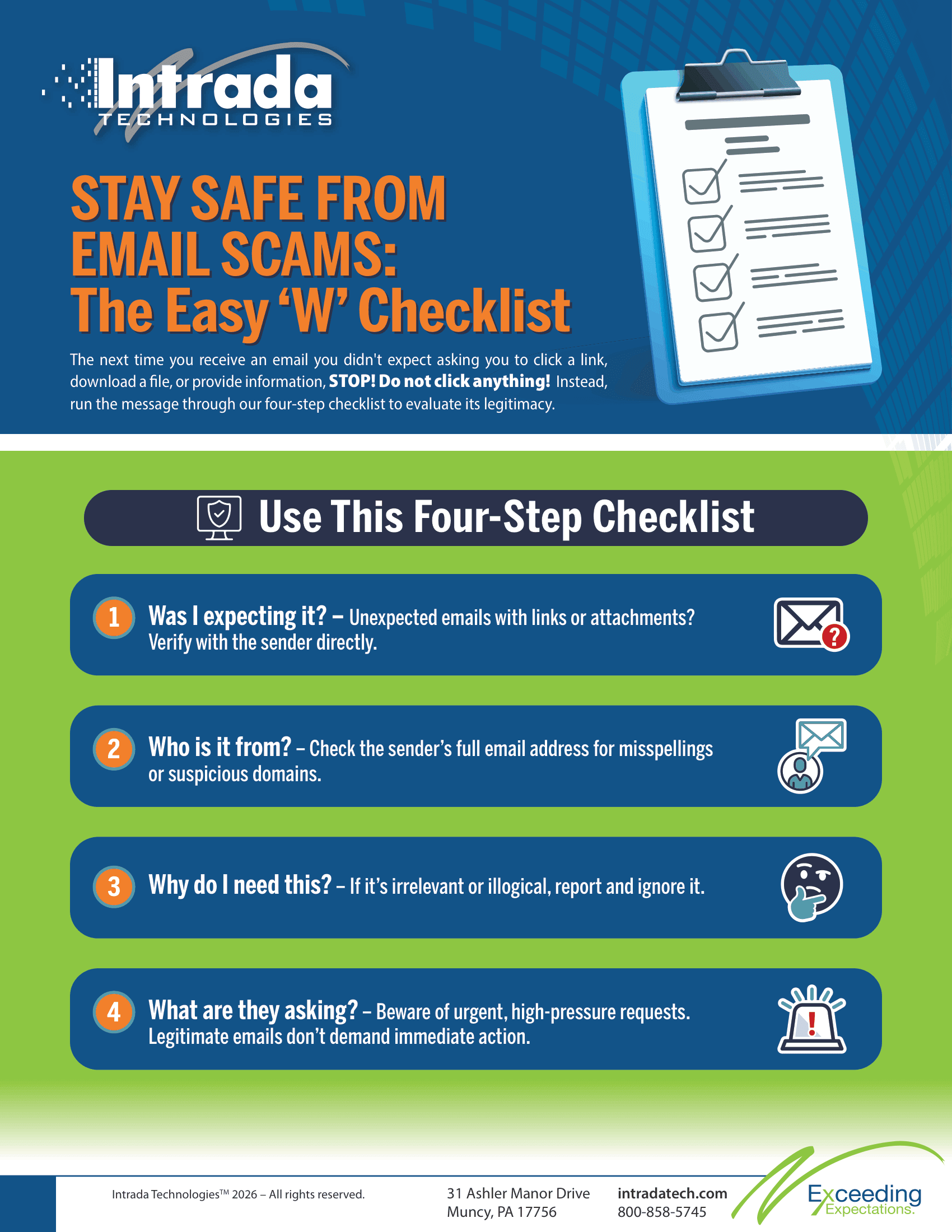
The next time you receive an email you didn't expect asking you to click a link, download a file, or provide information, STOP! Do not click anything! Instead, run the message through this four-step checklist to evaluate its legitimacy.
Was I expecting it?
This is your baseline defense. The element of surprise is a scammer's best friend. Hackers send fake invoices, unexpected shipping notifications, and sudden HR policy updates. They hope you will click the link out of sheer curiosity or confusion.
If you receive a document you were not expecting, treat it as highly suspicious. Did you order a package recently? If not, there is no reason to click a tracking link. Did a vendor send an invoice for a service you never requested? Do not open the attached PDF to find out what it is.
If you were not expecting the message, it likely does not belong in your workflow. When a surprise email arrives with a link or attachment, pick up the phone. Call the supposed sender using a known, trusted phone number to verify the message.
Who is it from?
Determine if the sender is a friend or a foe. Cybercriminals frequently use a tactic called display name spoofing. They change the name that appears in your inbox to match the name of your boss, a coworker, or a trusted vendor.
If you only look at the display name, you might fall for the trick. You must check the actual email header and inspect the sender's address. Look closely at the domain name after the "@" symbol.
Scammers use subtle misspellings to trick your eyes. They might use "rnicrosoft.com" instead of "microsoft.com," or "update@yourbank-support.com" instead of the legitimate banking domain. If the sender address looks slightly off, or if an internal company request comes from a public Gmail or Yahoo address, report it immediately.
Why do I need this?
Evaluate the actual necessity of the email. Will this message help you complete a project, or is it an unnecessary distraction? Cybercriminals often send vague messages hoping you will click to find out more.
Ask yourself if the request makes logical sense for your specific job role. If you work in marketing, why would the IT department ask you to authorize a wire transfer? If someone asks you to purchase gift cards for a company event, does that align with your standard purchasing procedures?
If the email does not help you complete a specific, known task, step back. If the answer to "Why do I need this?" is "I don't," then chill. Ignore the message, report it to your security team, and move on with your day.
What are they asking?
Phishing emails almost always ask you to take urgent action. They rely on high-pressure tones to force a quick, emotional response. They use phrases like "Your account will be suspended in 24 hours," or "Immediate action required regarding your payroll."
A high-pressure tone from an email does not mean an emergency on your part. Scammers want you to act quickly because rushing leads to mistakes. When you feel pressured or panicked, you skip critical thinking.
Take a breath. Let the email sit and wait. Legitimate organizations rarely demand immediate action through an unannounced email, and they never ask you to verify your password via a random link. When you remove the artificial urgency, the scam usually becomes obvious.
Need additional training?
Navigating the complexities of modern cyber threats takes time and specialized knowledge. You do not have to build these defense strategies alone. We work directly with our client to create a partnership including continue awareness and training focused on long-term success and security.
Consider us the creation or expansion of your IT or Marketing Teams. We help businesses develop comprehensive technology plans, establish robust cybersecurity policies, and conduct effective staff training programs.
Implement the "W" of email strategy today and take the next step toward a stronger defense. Contact Intrada Technologies to discuss how we can help you advance your business services and protect your critical data from evolving digital threats.

ABOUT THE AUTHOR
David Steele is the co-founder of Intrada Technologies, a full-service web development and network management company launched in 2000. David is responsible for developing and managing client and vendor relationships with a focus on delivering quality service. In addition, he provides project management oversight on all security, compliancy, strategy, development and network services.
Learn MoreImagine a potential customer standing on a sidewalk, holding their smartphone, searching for the exact service you provide. They type a quick phrase into their search bar, looking for a nearby business. Within seconds, a list of options appears on their screen. If your business does not show up in t...